Before you can create a resource, you must have an Infisical Gateway deployed that is able to reach the target resource over the network.The Gateway acts as a secure bridge, allowing Infisical to reach your private infrastructure without exposing it to the public internet. When creating a resource, you will be asked to specify which Gateway should be used to connect to it.Read the Gateway Deployment Guide
To add a resource, navigate to the Resources tab in your PAM project and click Add Resource.Next, select the type of resource you want to add.After selecting a resource type, provide the necessary connection details. The required fields vary depending on the resource type.Important: You must select the Gateway that has network access to this resource.In this PostgreSQL example, you provide details such as host, port, gateway, and database name.Clicking Create Resource will trigger a connection test from the selected Gateway to your target resource. If the connection fails, an error message will be displayed to help you troubleshoot (usually indicating a network firewall issue between the Gateway and the Resource).
Some resources, such as PostgreSQL, support automated credential rotation to enhance your security posture. This feature requires configuring a privileged “Rotation Account” on the resource.To learn more about how to configure this, please refer to the Credential Rotation guide.


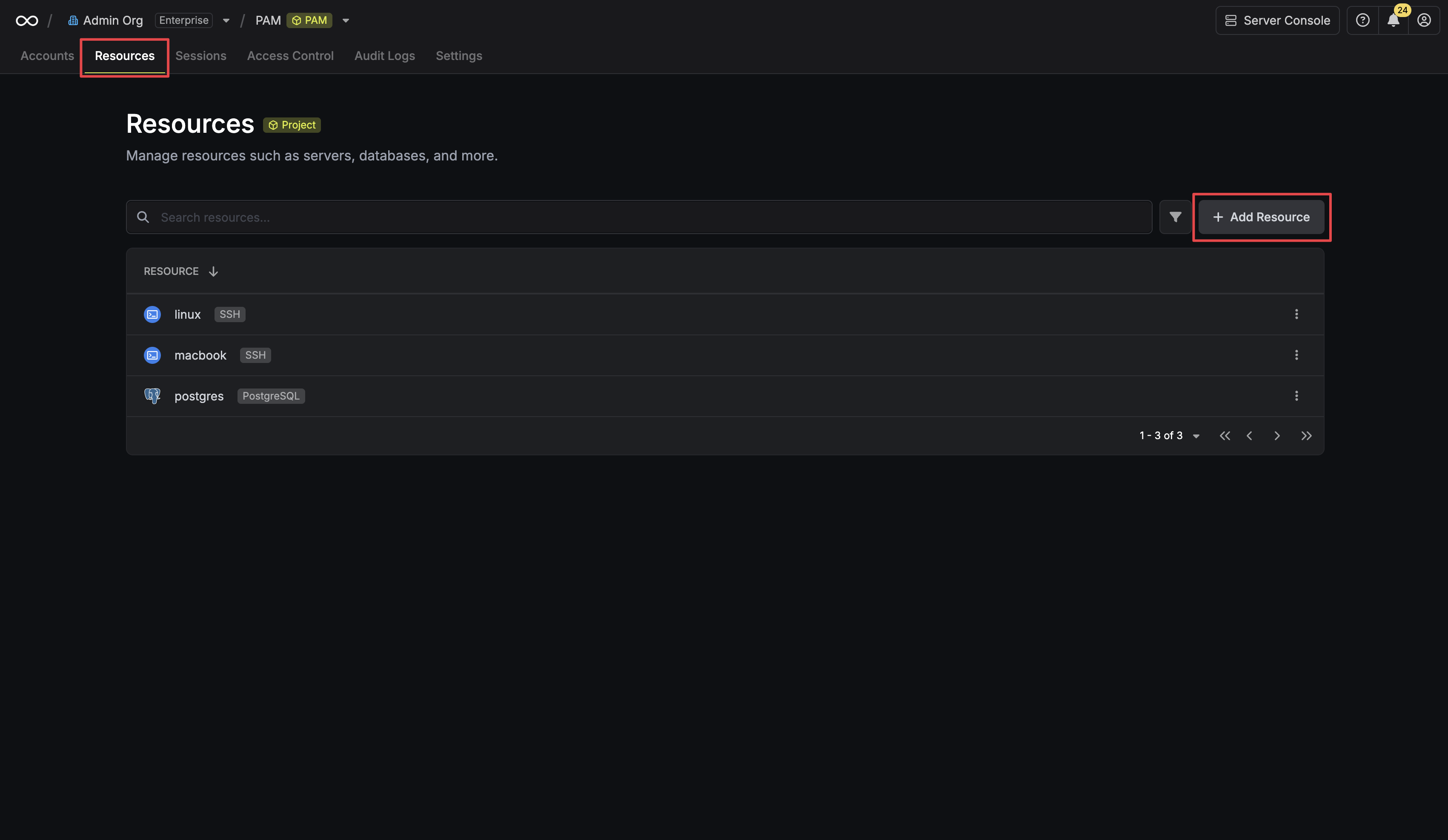 Next, select the type of resource you want to add.
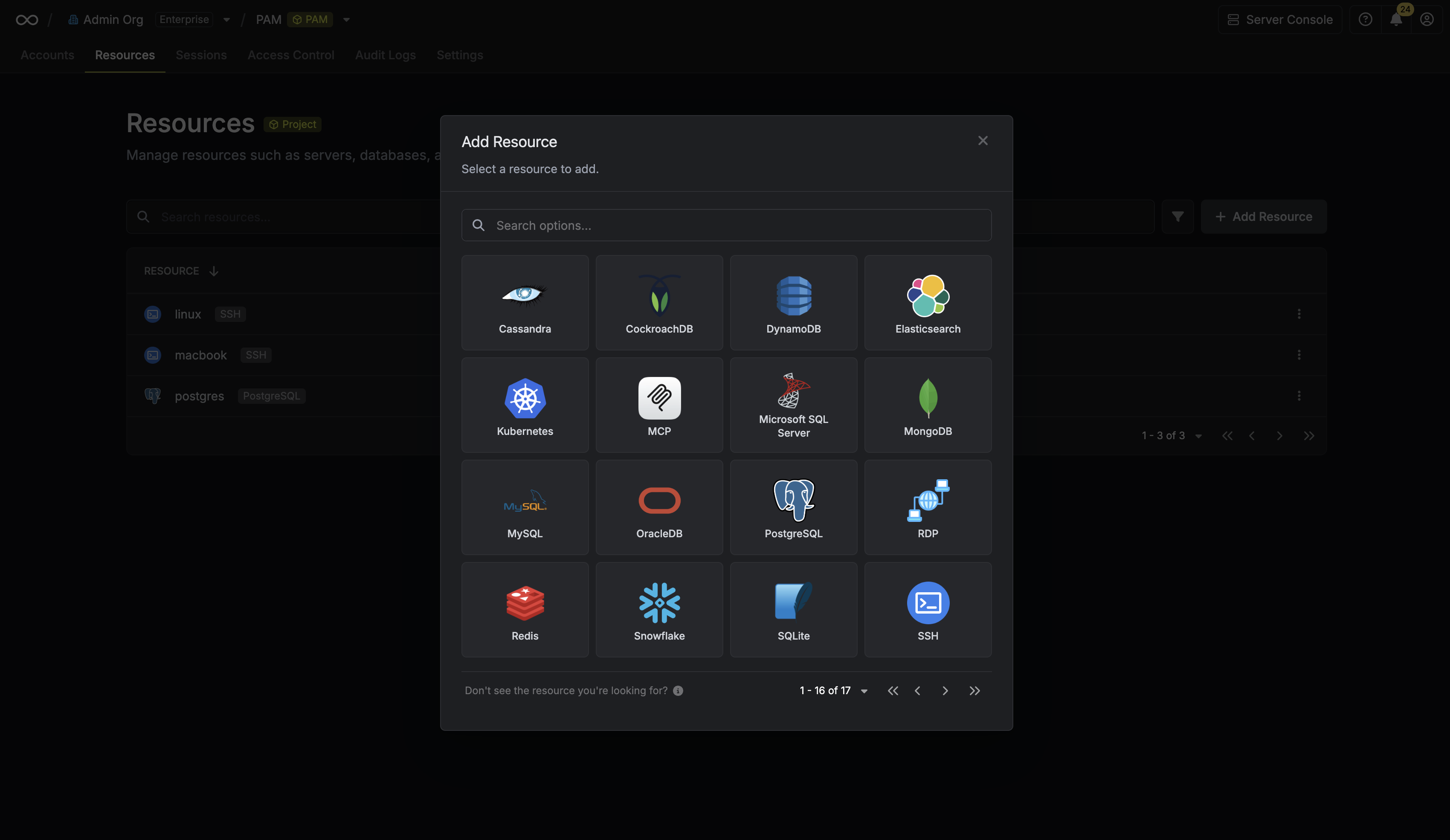 After selecting a resource type, provide the necessary connection details. The required fields vary depending on the resource type.
Important: You must select the Gateway that has network access to this resource.
In this PostgreSQL example, you provide details such as host, port, gateway, and database name.
After selecting a resource type, provide the necessary connection details. The required fields vary depending on the resource type.
Important: You must select the Gateway that has network access to this resource.
In this PostgreSQL example, you provide details such as host, port, gateway, and database name.
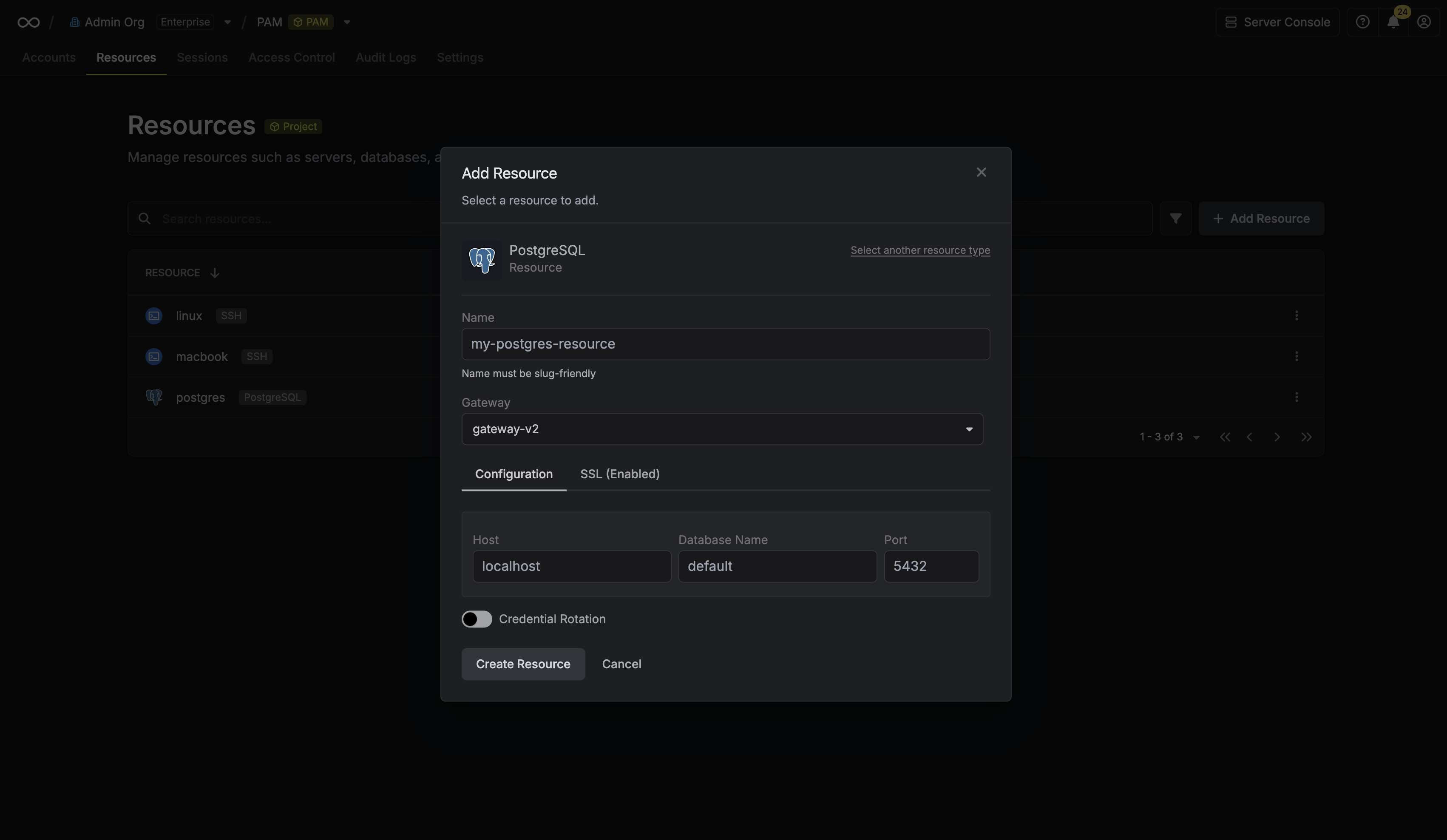 Clicking Create Resource will trigger a connection test from the selected Gateway to your target resource. If the connection fails, an error message will be displayed to help you troubleshoot (usually indicating a network firewall issue between the Gateway and the Resource).